web button state variations for design
|
||||||||||||||
|
|
|
||||||||||||
|
||||||||||||||





Stockphotos.ro (c) 2026. All stock photos are provided by Dreamstime and are copyrighted by their respective owners.
web button state variations for design |
||||||||||||||||||||||||||||||||||||||||
| navigate by keyword : writing website web variations text state screenshot presentation plan multimedia logo line learning label handwriting gadget font document diagram design button brand advertising set states glossy interface buttons gradient style reflective surface normal hover active interactive outlined faded modern kit app dashboard navigation software elements polished layout clean digital product mockup user experience assets |
||||||||||||||||||||||||||||||||||||||||
|
||||||||||||||||||||||||||||||||||||||||
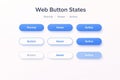
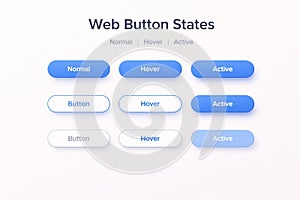
| UI design features web button state variations: Normal, Hover, and Active. Nine buttons are displayed in three rows, showing different states. The top row includes solid blue buttons with white text. The middle consists of buttons outlined in blue with white fill and blue text. The bottom shows buttons with a blue gradient fill. This setup illustrates how buttons can change appearance based on user interaction. |
||||||||||||||||||||||||||||||||||||||||
|
Stockphotos.ro (c) 2026. All stock photos are provided by Dreamstime and are copyrighted by their respective owners. |
||||||||||||||||||||||||||||||||||||||||